
Bank Approval Tool for Third-Party Content
Overview
The Bank Approval Tool is an automated platform that streamlines campaign review workflows for financial institutions. Integrated with the Cardlytics Publisher Platform, it enables banks to:
- Review and approve upcoming campaigns before customer deployment
- Maintain comprehensive audit trails for compliance
- Enforce brand and regulatory requirements
- Process all offer content through a centralized approval gateway
Access Methods
Users can access the tool via:
- Email and password authentication
- Single Sign-On (SSO)
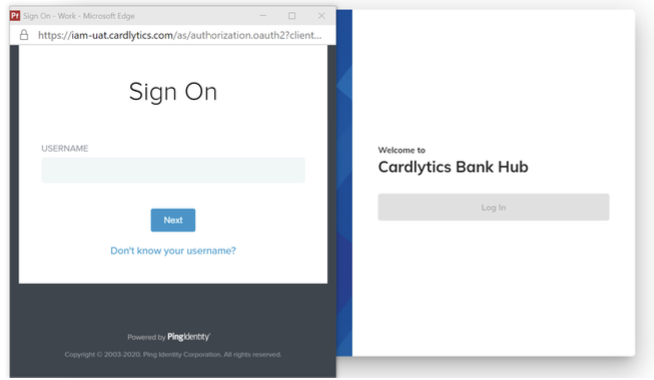
Cardlytics provides setup instructions and credentials via email for both authentication methods.
Third-Party Merchant Management
Approval Structure
Third-party merchants are separated from internal (first-party and direct relationship) merchants in the tool, allowing banks to approve or reject specific third-party merchants directly.
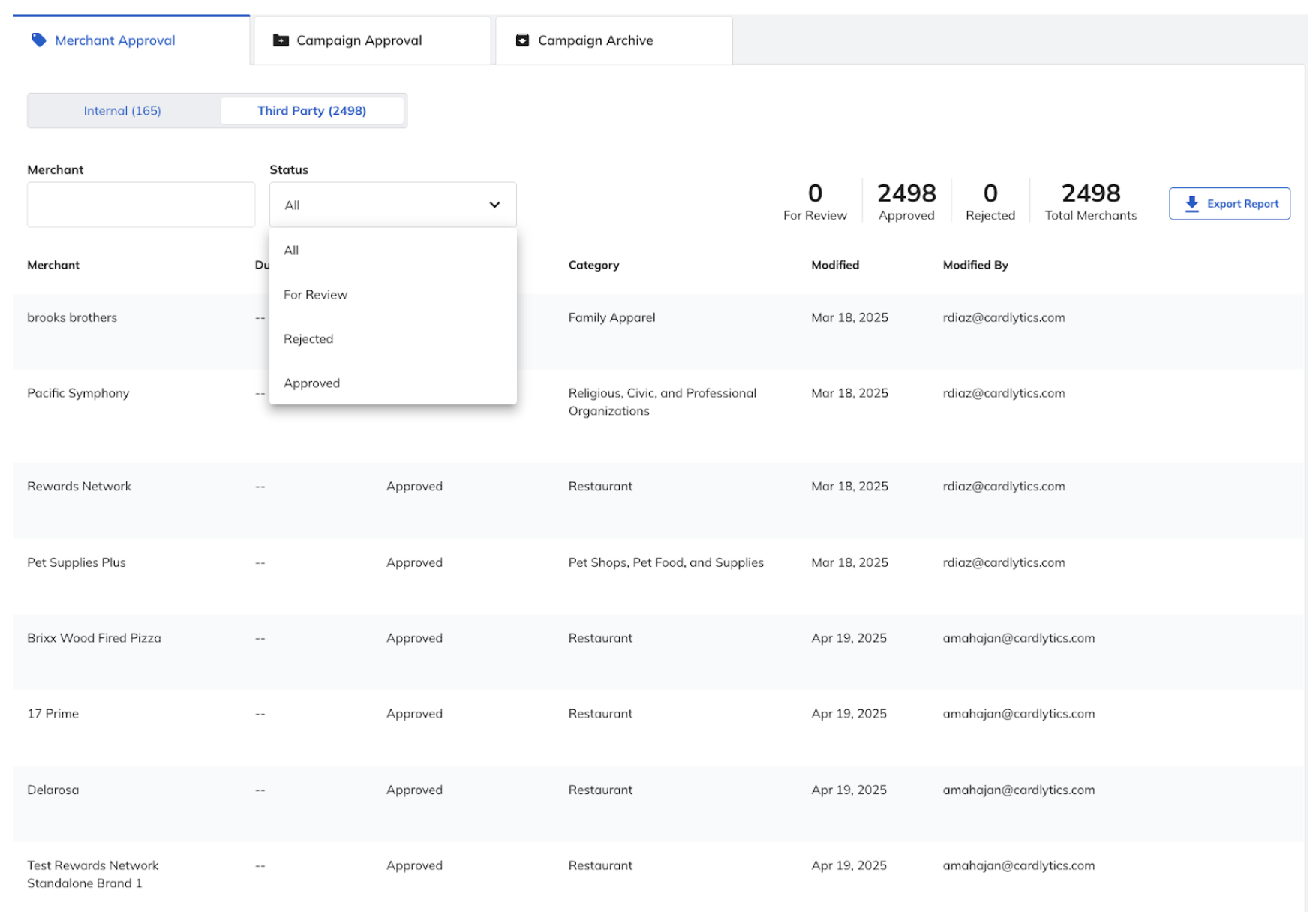
Bulk Approval Options
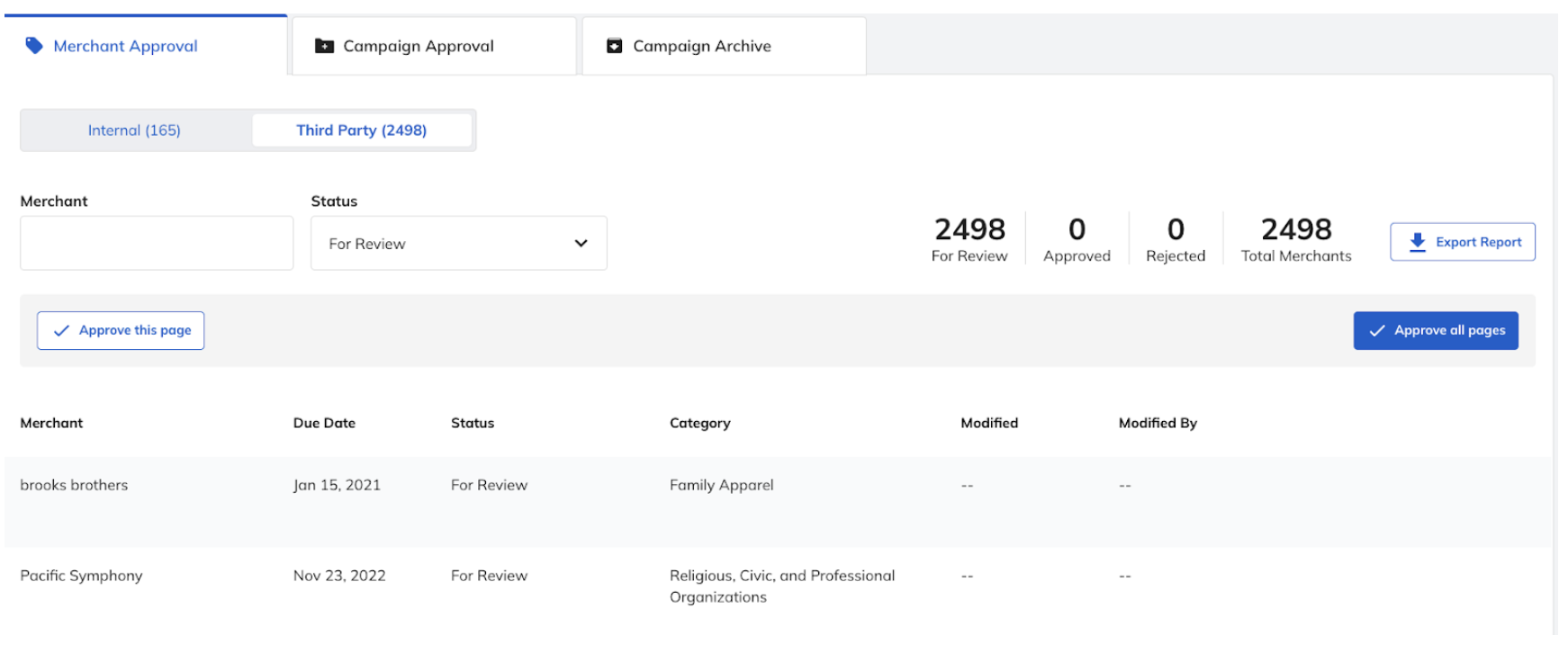
Banks can process merchants in bulk using two methods:
- Page-level approval: Approve all merchants on the current page (up to 100 entries)
- Global approval: Approve all merchants across all pages under the "For Review" filter
Note: Bulk approval buttons are only visible when the "For Review" filter is active. Maximum page size is 100 entries.
Third-Party Campaign Management
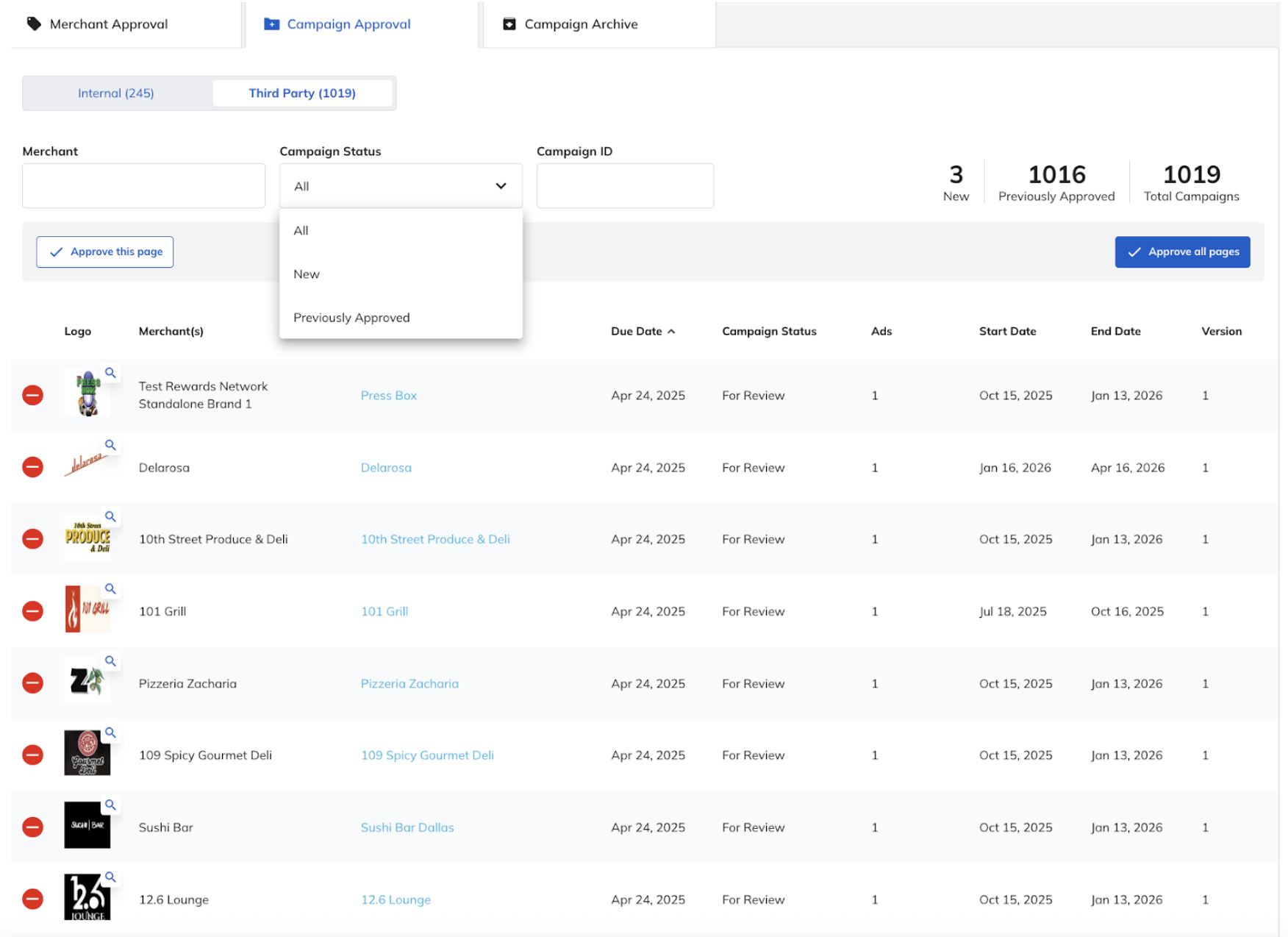
Third-party campaigns are also separated from internal (first-party and direct relationship) campaigns in the tool, allowing banks to approve or reject specific third-party campaigns directly.
Filtering System
Campaigns are organized using three filter categories:
- All: Displays all campaigns awaiting approval
- New: Shows campaigns never previously reviewed
- Previously Approved: Shows campaigns with matching advertiser account, logo image, and hero image that received prior approval
Bulk Approval Workflow
Users can approve campaigns using:
- Page-level approval: Approve all campaigns on the current page (respects active filters)
- Global approval: Approve all campaigns across all pages with applied filters
Individual Campaign Control
Users retain granular control to reject individual campaigns using the minus icon, even during bulk operations.
Performance Improvements
- Page size increased from 10 to 100 entries for enhanced efficiency
- Streamlined scrolling interface for rapid campaign review
Updated 10 months ago