
How to Access
Instructions on how to setup a new account and how to recover account with password reset
Steps to setup your account
-
Reach out to your Cardlytics contact or account manager to request Ads Manager access.
-
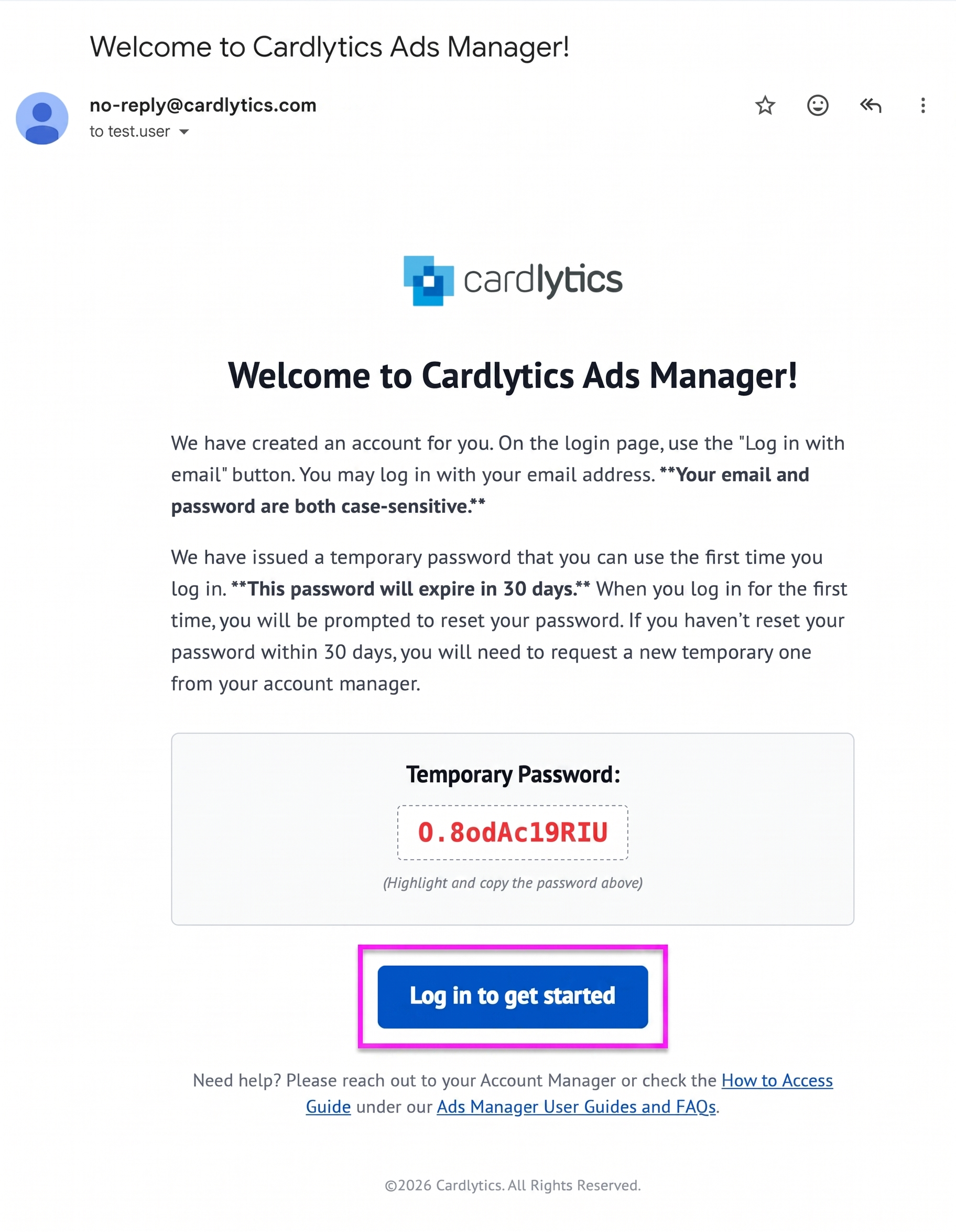
Once you’ve requested access, your Cardlytics contact will create an account for you, and you'll receive an invite email that includes your temporary password and the link to the site.
Your email will come from
[[email protected]]with subject Welcome to Cardlytics Ads Manager. Please check your spam folder for any emails from this address.Accept your invite within 30 days of receipt, otherwise it will need to be reissued.
-
Once you receive the invite email, click the button at the bottom: Log in to get started, or go directly to Ads Manager: ads.cardlytics.com to log in.
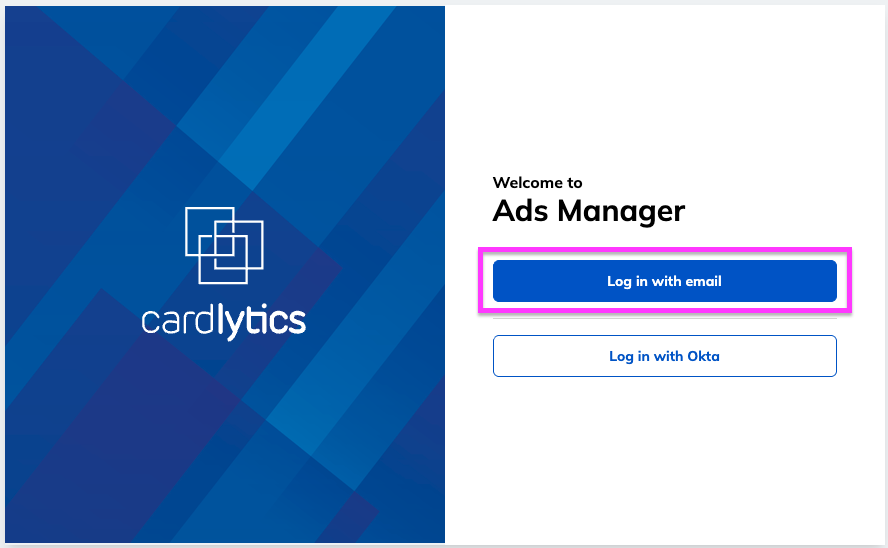
- In Ads Manager, select "Log in with email" option to log in with your temporary credentials
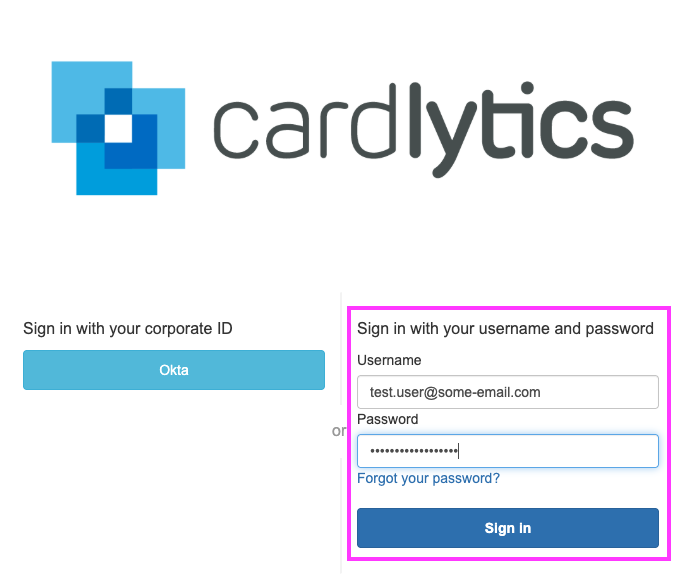
- Sign in with your email and password (not Okta). Enter your email address and your temporary password provided from the email invite (both are case sensitive!) to complete the account setup:
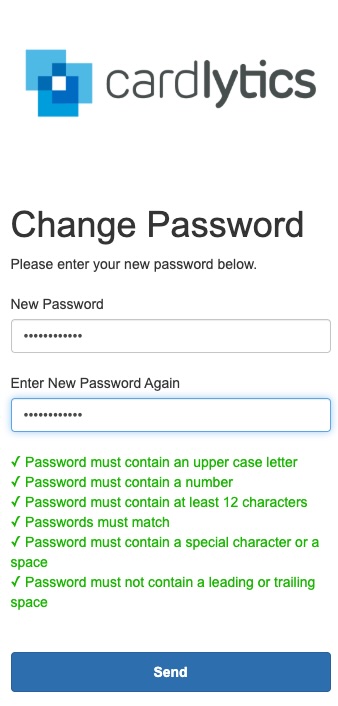
- You will be prompted to change your password for the first time. Please proceed and set your password following the password requirements.
- If successful, you will land on the main Ads Manager "Campaign performance" page.
Important
If you have difficulty accessing the tool or completing your account setup, please reach out to your Cardlytics contact. Your contact will ensure that you have proper access and can address any issues you may have.
Steps to recover your account
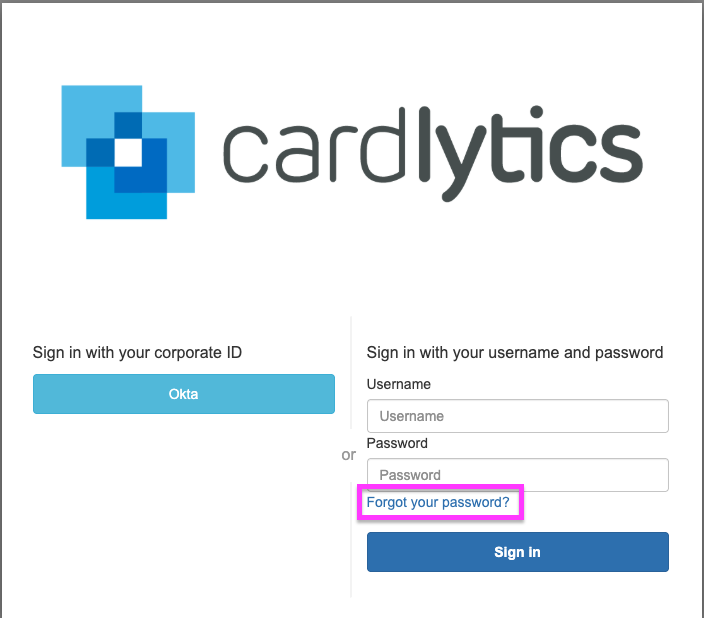
- If at any point you are unable to login or you forgot your password, you can try to reset it from the main Ads Manager login page ads.cardlytics.com and click "Log in with email"
- In the next form, you can then select "Forgot your password?"
-
On the next screen, please follow the instructions to issue a password reset:
-
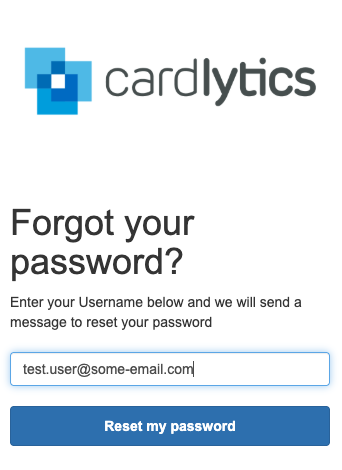
Once you’ve requested a password reset, you'll receive a password reset request email that includes your temporary one-time verification code needed to proceed.
Your email will come from
[[email protected]]with subject Cardlytics Ads Manager Password Reset Request. Please check your spam folder for any emails from this address.
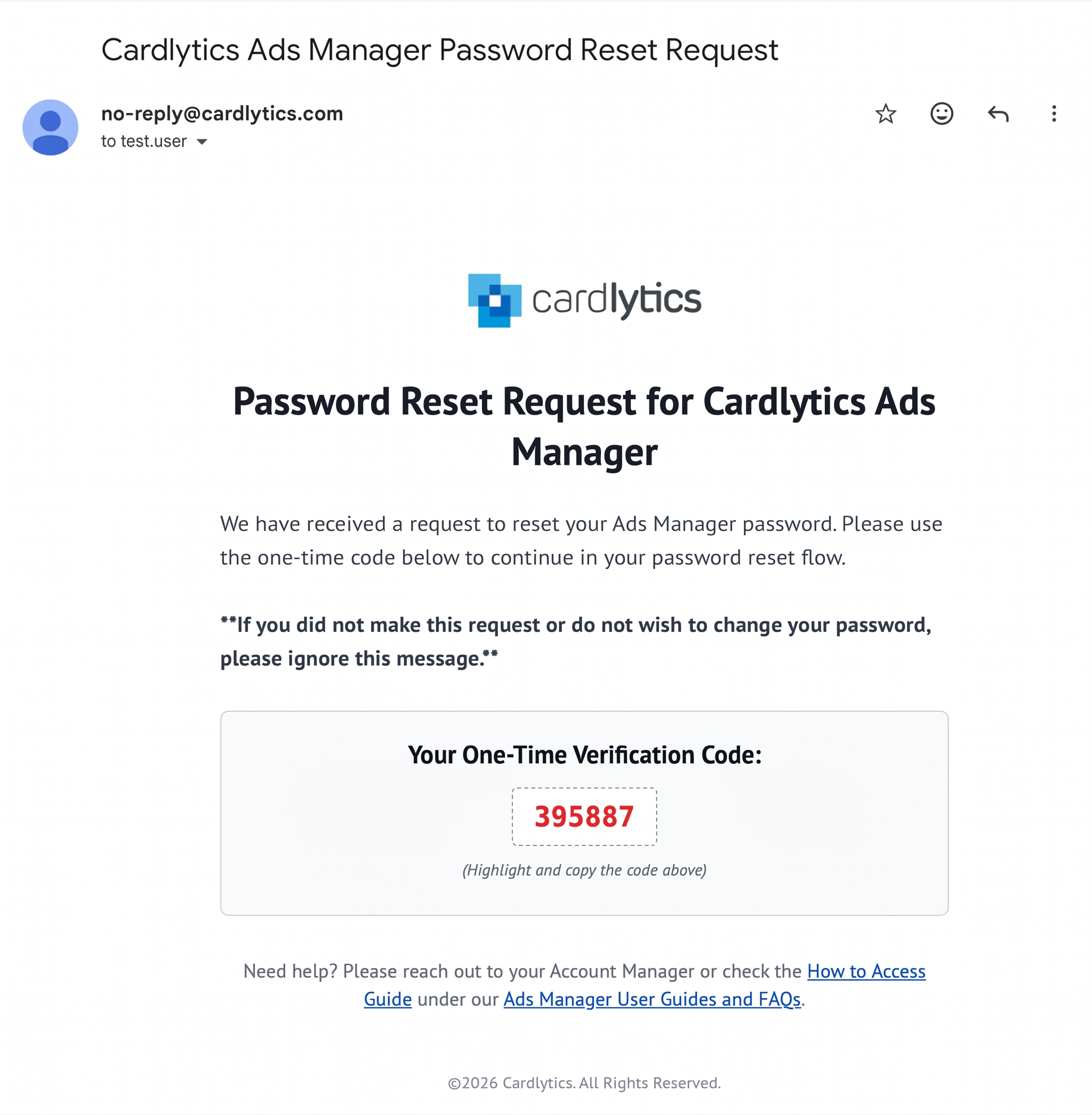
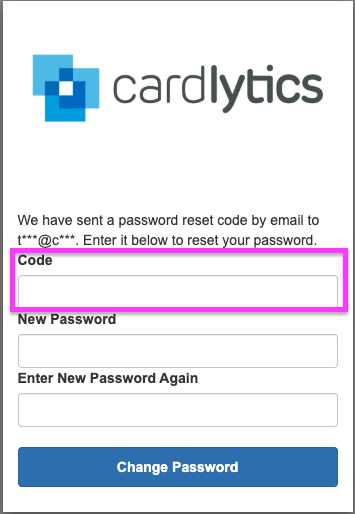
- Please verify by entering the code from the password reset email, and proceed with new password setup following the password requirements.
Important
If you have difficulty accessing the tool or resetting your password, please reach out to your Cardlytics contact. Your contact will ensure that you have proper access and can address any issues you may have.
Updated 22 days ago